🎯Practice & Feedback
The score view, real-time pitch feedback, your session summary, latency calibration, and how scoring works.
What happens when you practice
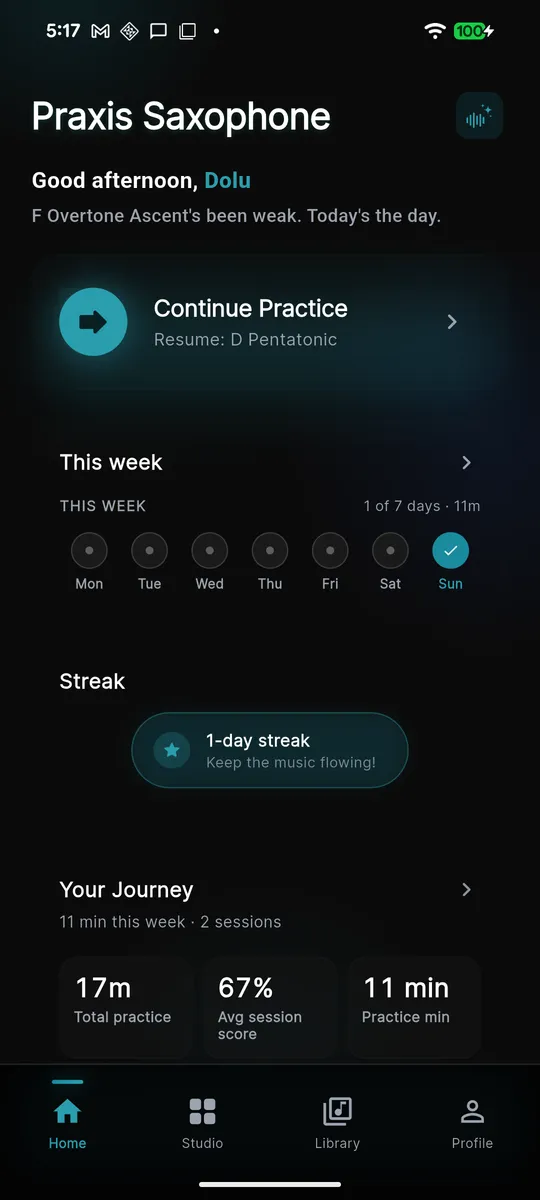
Praxis listens to your saxophone through the device microphone and detects your pitch on the device, in real time — nothing is streamed to a server to be scored. As you play, the app follows along on a music score, colors each note by how you did, and at the end hands you a session summary with your accuracy and how it compares to last week.
Following the score
Every exercise and song opens in the score view: standard notation on a staff that scrolls with the beat. A playhead moves left to right and the note you are meant to be playing right now is highlighted, so you always know where you are — even in a long line.
- Highlighted note — the one the app expects from you at this instant.
- Loop region — a green band marks a section you have set to repeat, so you can drill one tough measure.
- Count-in — live practice gives you a four-beat metronome count before the first note.
Real-time pitch feedback — the colors
As each note passes, Praxis compares what you played to what was written and marks the note:
- Correct (green) — right pitch, on time. This is the target.
- Wrong pitch — you played a different note than the one written.
- Early / late — the right note, but ahead of or behind the beat.
- Missed (red) — the note went by with no sound detected. Missed notes get a red overlay so they are easy to spot when you scan back over the line.
Written vs. concert pitch (transposing saxophones)
The saxophone is a transposing instrument, so the note you read is not the note that sounds. An alto (an E♭ instrument) reading a written C actually sounds a concert E♭. Praxis handles this for you: the score and the tuner always show written pitch — the note as it appears on your page — while the engine accounts for your instrument's transposition underneath. Set your horn (alto, tenor, soprano, baritone) in setup so the scoring lines up with what you see.
The session summary
When a session ends, Praxis generates a summary of how it went:
- Pitch accuracy — the percent of notes you played at the right pitch.
- Rhythm accuracy — the percent you landed on time.
- Quality score — an overall 0–5 rating per exercise that also feeds your spaced-repetition schedule, so weak spots come back around sooner.
- Which notes were off — the summary calls out where you struggled so you know what to drill next.
- Trend vs. last week — your numbers are shown against your recent history, so you can see the seven-day direction of travel, not just today's snapshot.
Latency calibration — run this first
There is always a small delay between the sound leaving your bell and your phone or tablet hearing it — the amount depends on your device, and it makes on-time notes look "late" if it is not measured. Timing Calibration removes that delay so your rhythm scores are honest.
- Open Settings → Timing Calibration (iOS and Android are the same).
- Tap Start Calibration and, with your saxophone ready, play one note on every beat of the metronome (it runs at a steady 80 BPM).
- Praxis measures your timing offset from the collected beats and tap Save & Apply to store it.
Record and replay for self-review
Praxis can record a take and let you replay it against the score afterward. In replay, your recorded audio plays back while the notes you actually produced are laid over the written part — a pitch-accuracy overlay — so you can see and hear exactly where you drifted, rushed, or nailed it. It is the fastest way to catch a habit you can't feel in the moment.