🎵Repertoire & Import
Import audio and split stems, the track detail player, and the different practice modes.
Repertoire & Import
Your own songs live under Studio → Repertoire. Bring in any audio file, let Praxis separate the parts, and practice by playing your saxophone over the band with the melody removed. This page walks through importing a track, choosing what gets separated, and using the player.
Import a song
Open Studio → Repertoire, tap Add to your repertoire, then Import song. Your device's Files picker opens so you can choose an audio file from anywhere your phone can reach it — on-device storage, iCloud Drive, Google Drive, Dropbox, and other file providers.
Supported formats:
mp3,wav,m4a,aac,flac,ogg
Choose what to separate
After you pick a file, the Import audio sheet appears. By default Praxis separates for saxophone — this is optimized for wind instruments and is the right choice for most practice imports. Just tap Import to go with it.
Need something else? Tap More separation options to pick a different target to pull out of the mix, such as:
- Vocals — separate the singing voice from the instrumental.
- Drums — extract drums and keep a drumless backing.
- Bass, Piano, Electric or Acoustic guitar, Synthesizer, Strings, and more.
You can also set an optional Genre (jazz, blues, funk, classical, and others) to help tune the result. Separation runs on our servers and takes a few minutes; the Repertoire page updates on its own when your track is ready.
Browse your Repertoire
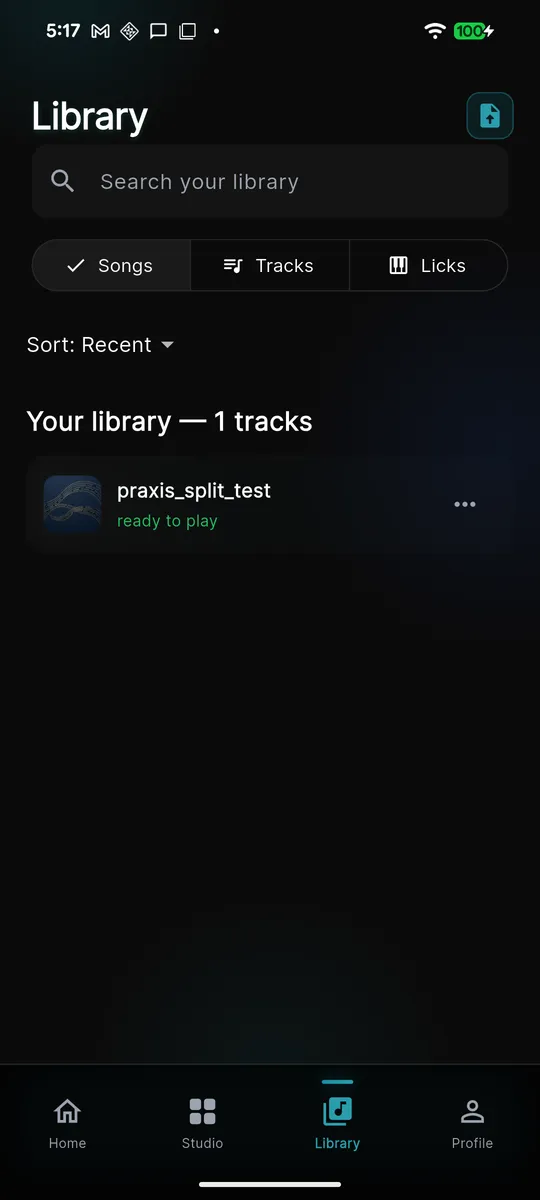
Every imported song shows up under Studio → Repertoire, alongside your backing tracks and chord charts. A track that is still separating shows as processing and flips to ready when it finishes. Tap any track to open its player. You can rename or delete a track from its menu, and if a separation ever fails you can retry it.
The track player
Opening a track shows the player, its tempo in BPM when Praxis could detect it, and a set of mix presets that instantly rebalance the parts for you.
Mix presets
- Learn the line — hear the written line quietly over the band while you study the part.
- Play the lead — the lead is muted so you play it live over the band. This is the core practice mode; scored takes here count toward your progression.
- Full mix — the original recording, untouched, for reference.
Per-stem mixer
Presets are shortcuts over a full mixer. Each separated part gets its own fader, so you can nudge any part up or down or mute it by hand — for example, keep a touch of the lead in while you learn, or drop the drums. Your manual tweaks stick even when you switch presets.
Playback speed
Practice a fast passage slowly, then bring it up to tempo. The speed control offers 50%, 75%, 100%, and 125%. The displayed BPM follows the speed you choose.
Practice: play over the band
- Open a separated track from your Repertoire.
- Select the Play the lead preset so the melody drops out.
- Set a comfortable speed — start at 50% or 75% for tricky lines.
- Press play, listen for the count-in, and play the part on your saxophone.
- Record a take to have it scored on pitch and timing; strong takes count toward your progression.